내용으로 건너뛰기

장바구니

장바구니가 비어있습니다

N7 B650E

Wi-Fi 및 NZXT CAM 기능을 갖춘 AMD 메인보드

3.6
Rated 3.6 out of 5 stars
3.6 Stars (21 Reviews)
Where to Buy

Your Prepay and Save Options

Choose the plan that works best for you.

Month-to-Month

Cancel and return anytime with no fees. This option provides maximum flexibility with no long-term obligations.

Prepaid Terms

Prepay for a multi-month term (3, 6, 12 months) and lock in a lower effective monthly rate.


When your term ends, you have simple options:

1

Month-to-Month: By default, your subscription automatically converts to the month to month rate requiring no action from you.

2

Prepay Again: Alternatively, you can choose to prepay for another 3, 6, or 12 month term.

3

End Subscription: Cancel and return with no fees.

개요

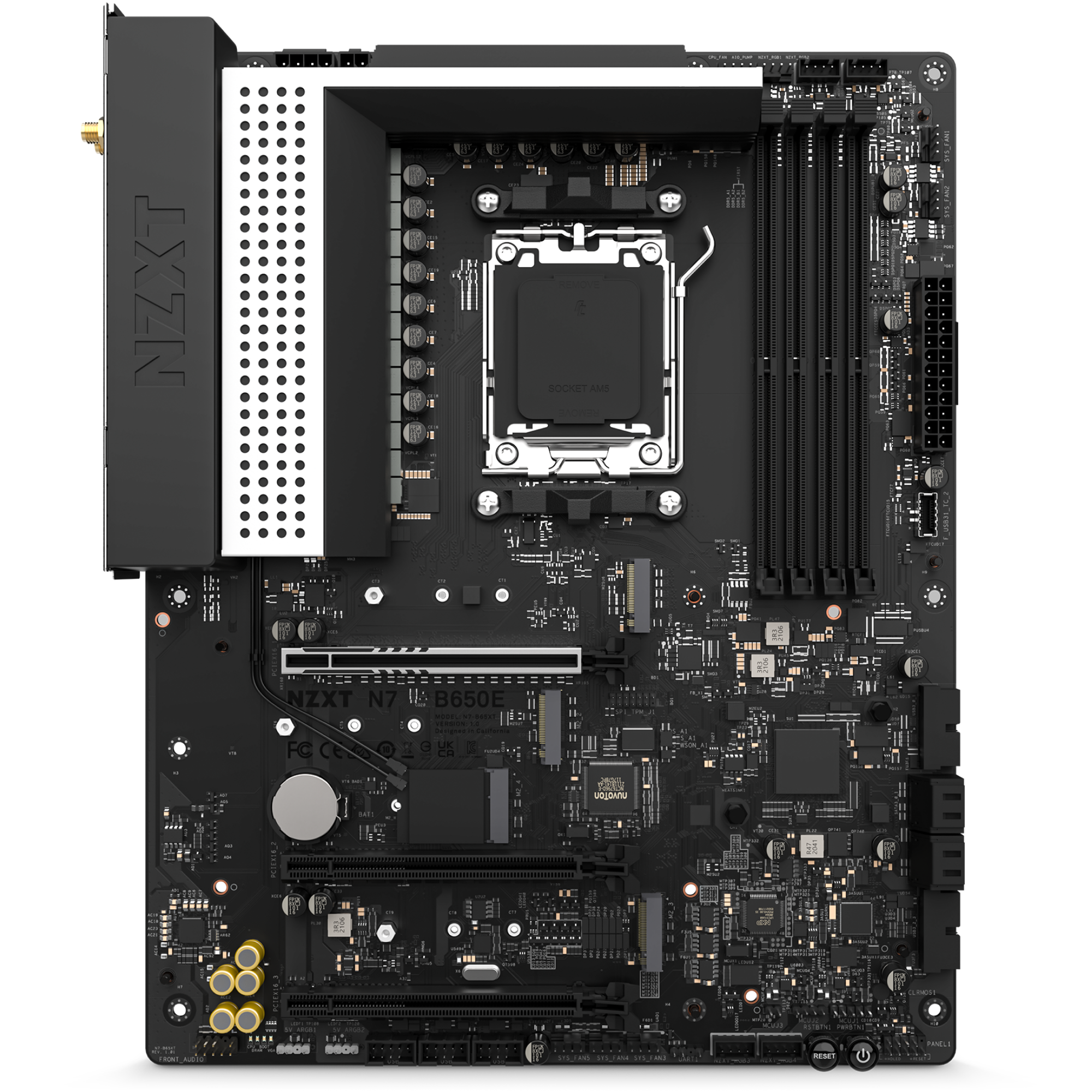
AMD B650 칩셋으로 AMD Ryzen® 9000, 8000, 7000 시리즈 프로세서의 진가를 온전히 활용하세요. N7 B650E는 향상된 호환성과 함께 디지털 RGB 및 팬 제어, Wi-Fi 6E 등 N7의 대표 기능을 제공합니다.

최대한의 제어:
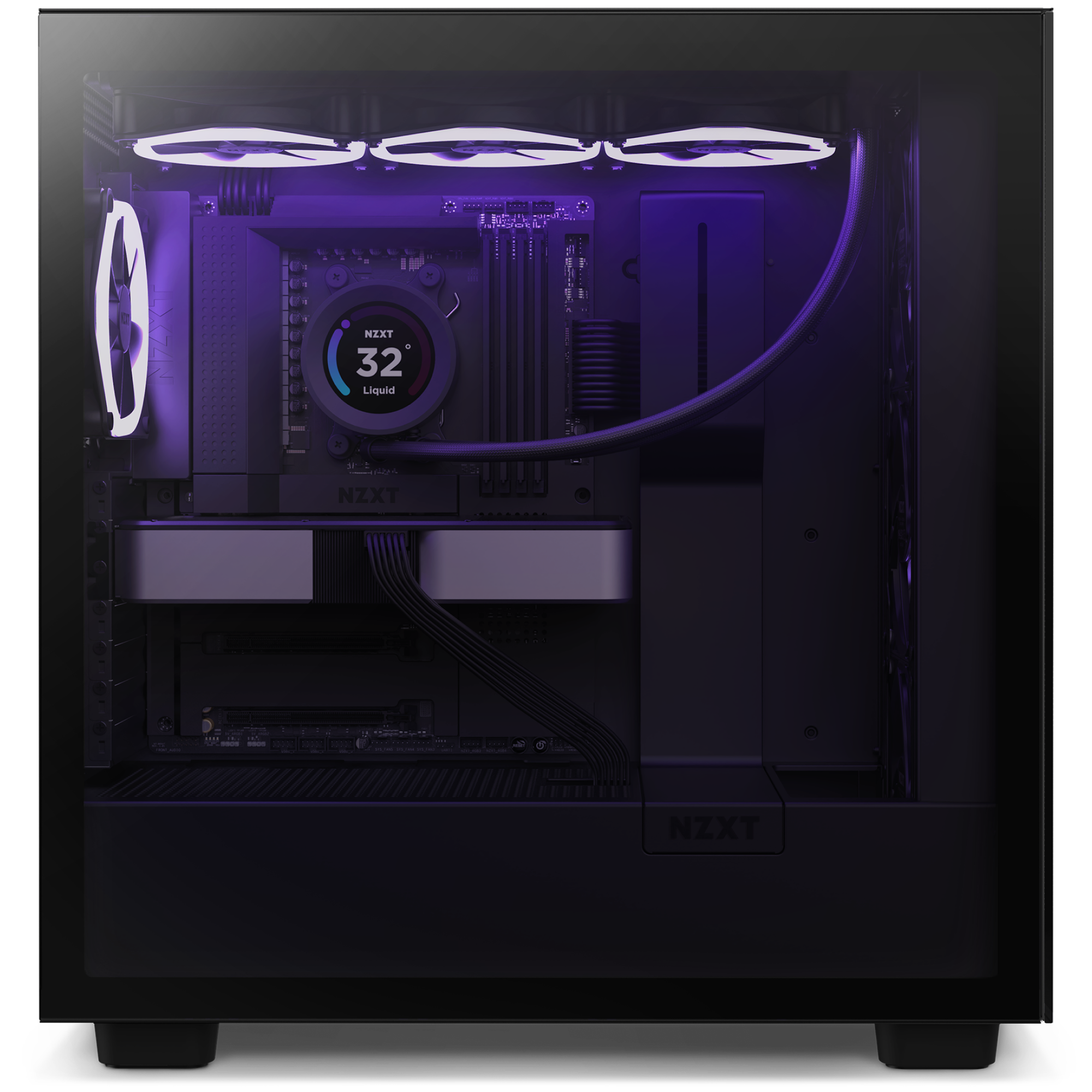
NZXT CAM으로 조명 및 냉각 모드를 손쉽게 사용자 지정하고 6개의 RGB 조명 채널을 사용할 수 있습니다. 제조사와 관계없이 조명과 팬을 구성하세요.
마무리:
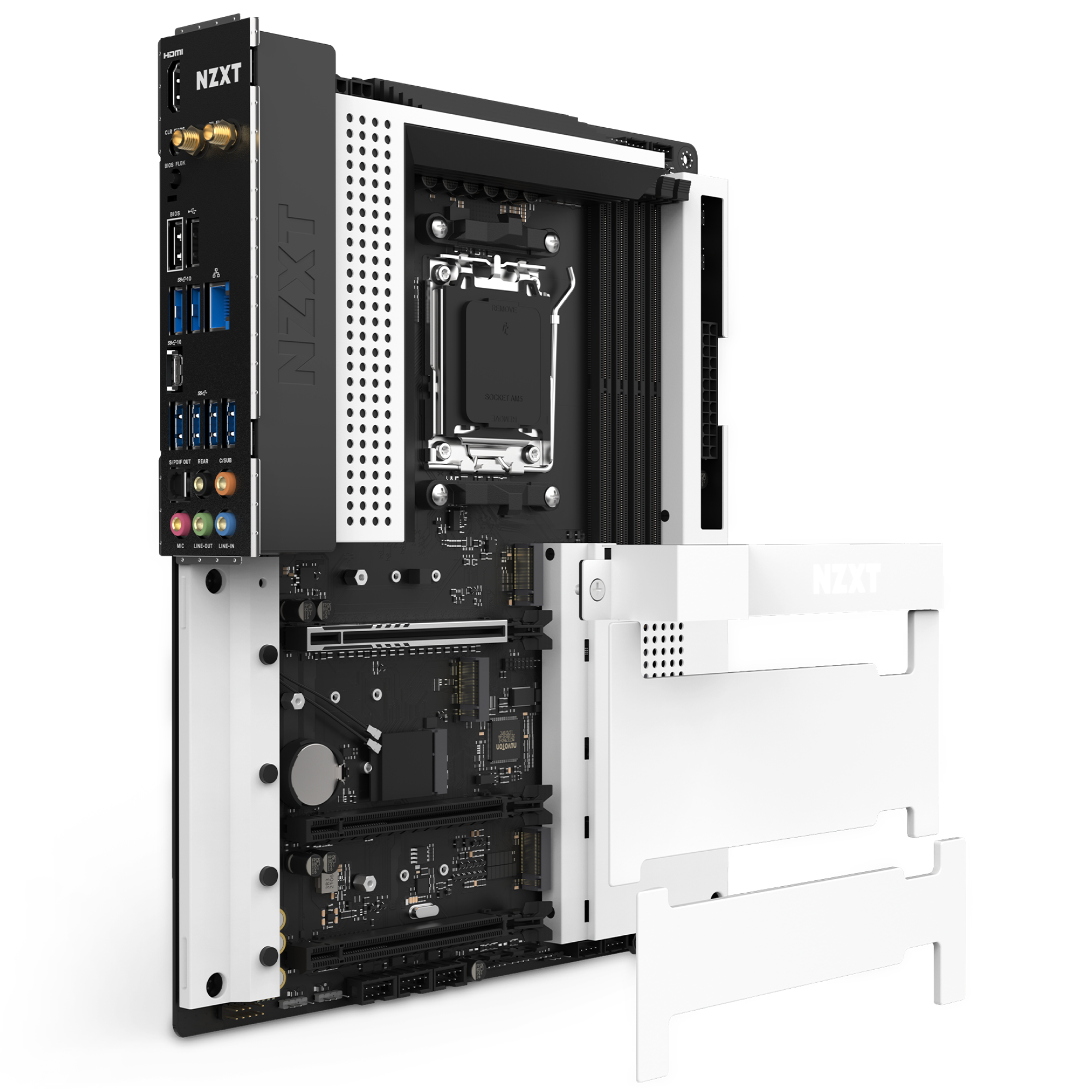
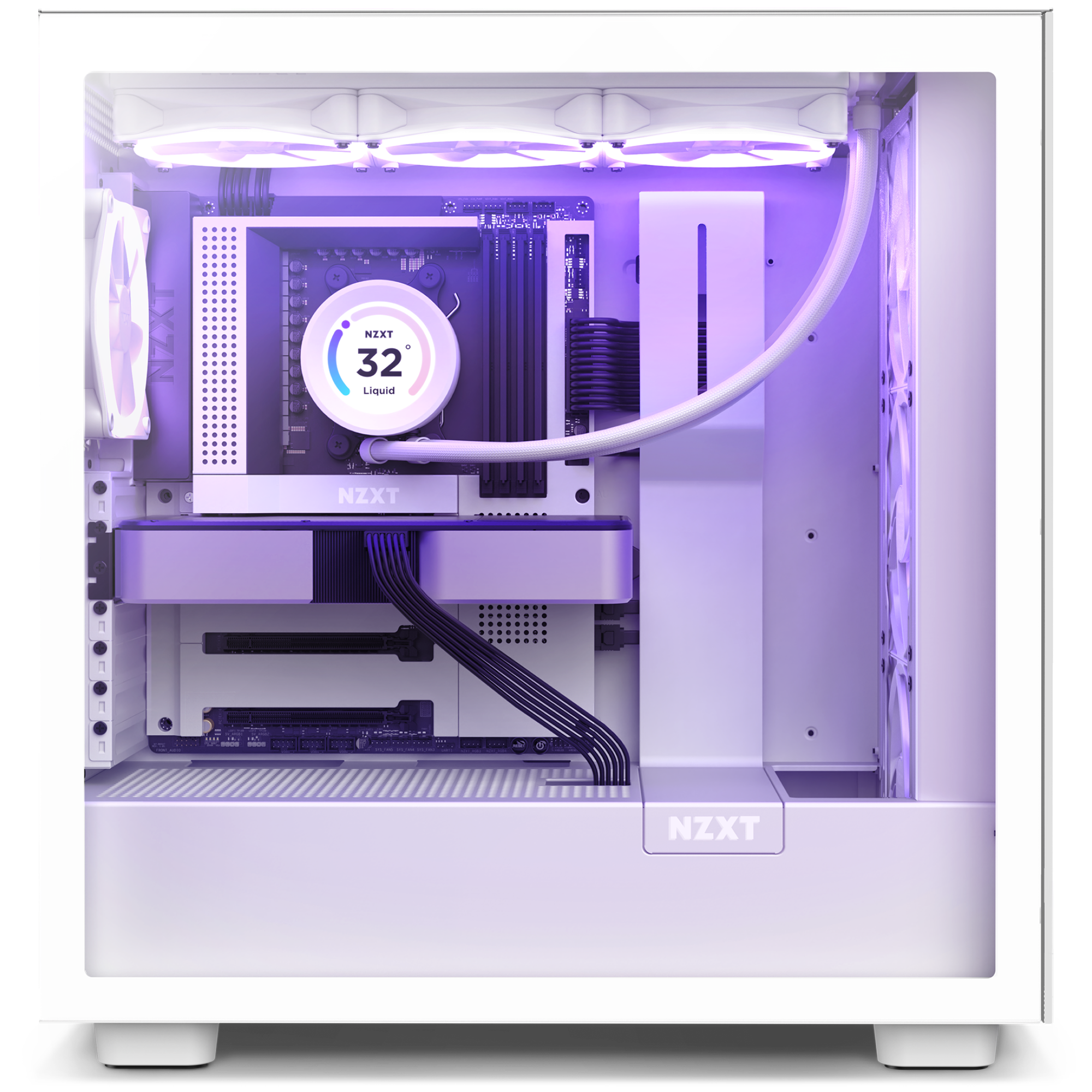
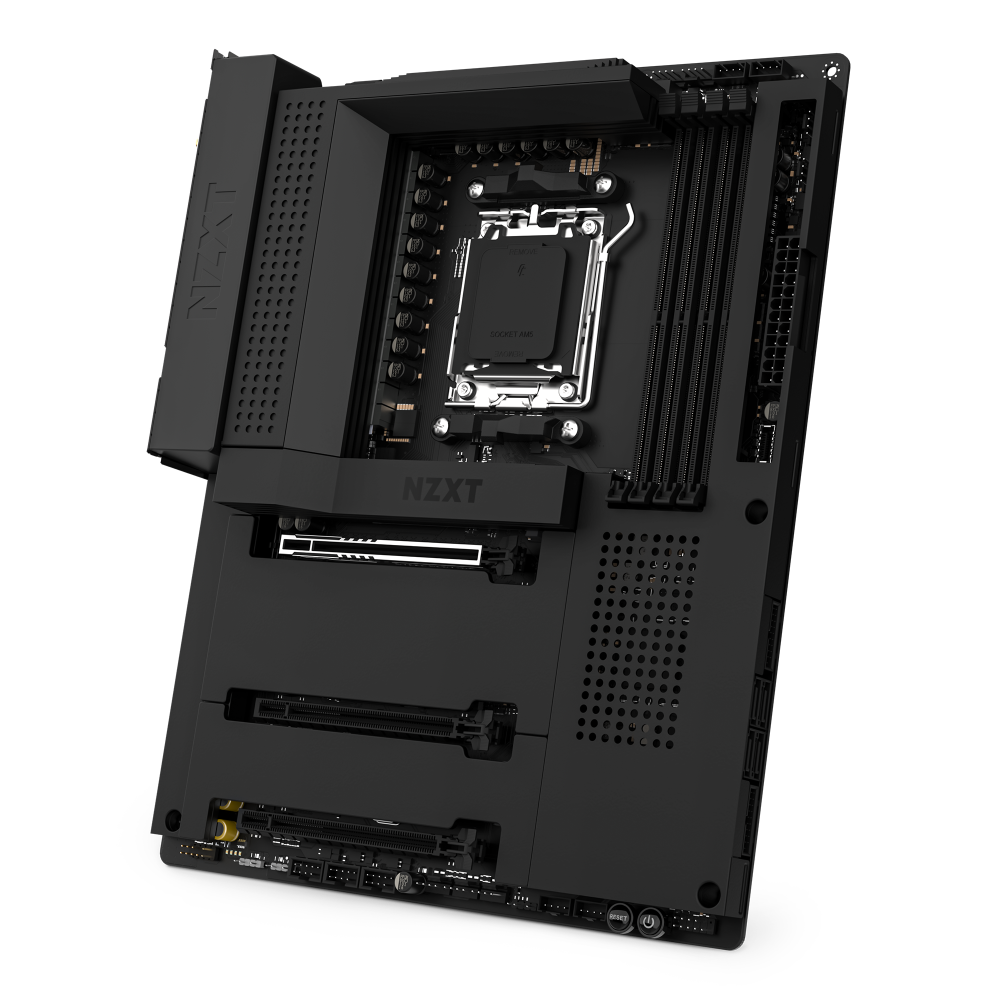
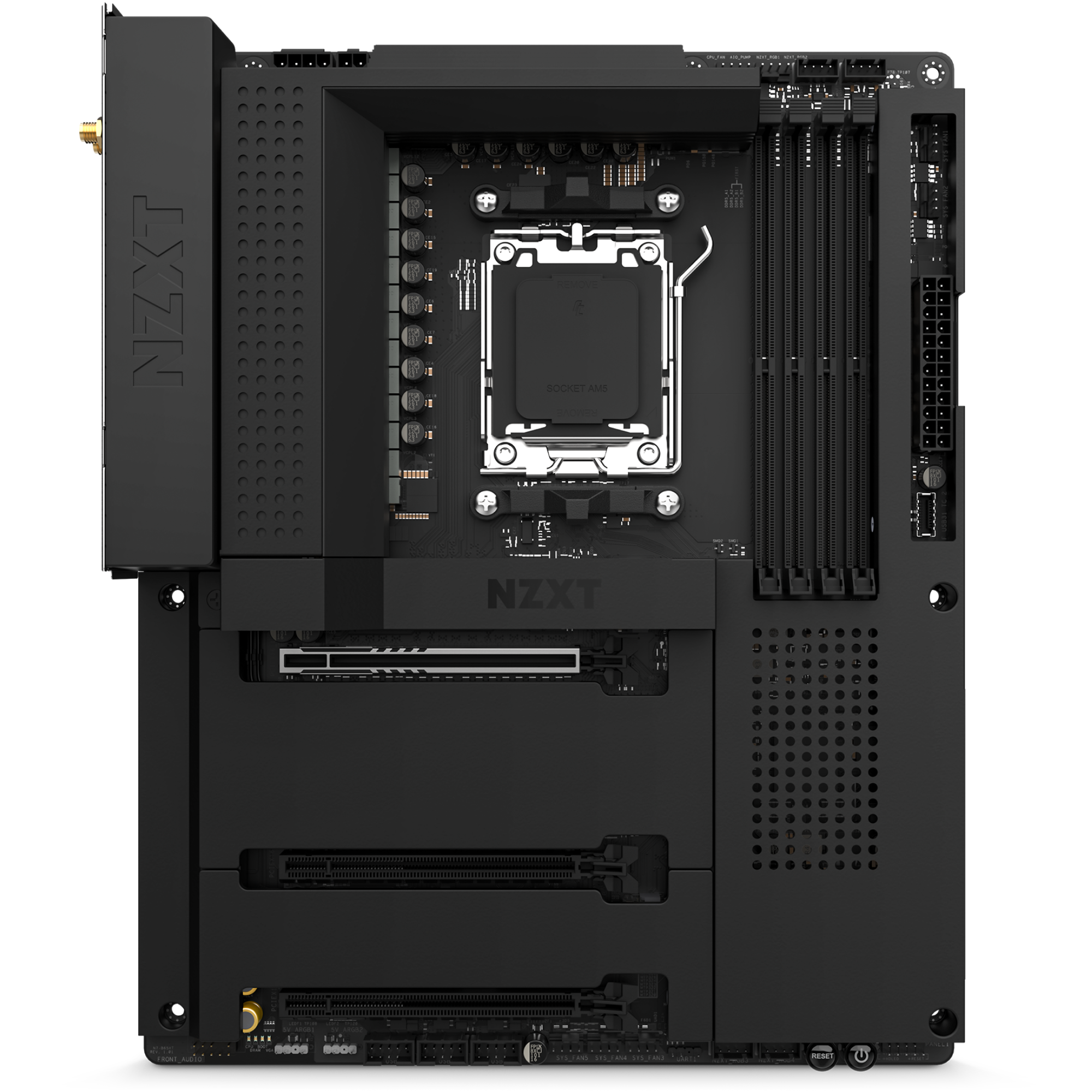
화이트 또는 블랙 메탈 커버가 내부 부품을 가리며 케이스에 자연스럽게 어우러집니다. 방열 핀을 확장해 PCIe Gen 5 지원 NVMe 드라이브 슬롯을 냉각합니다.
준비 완료:
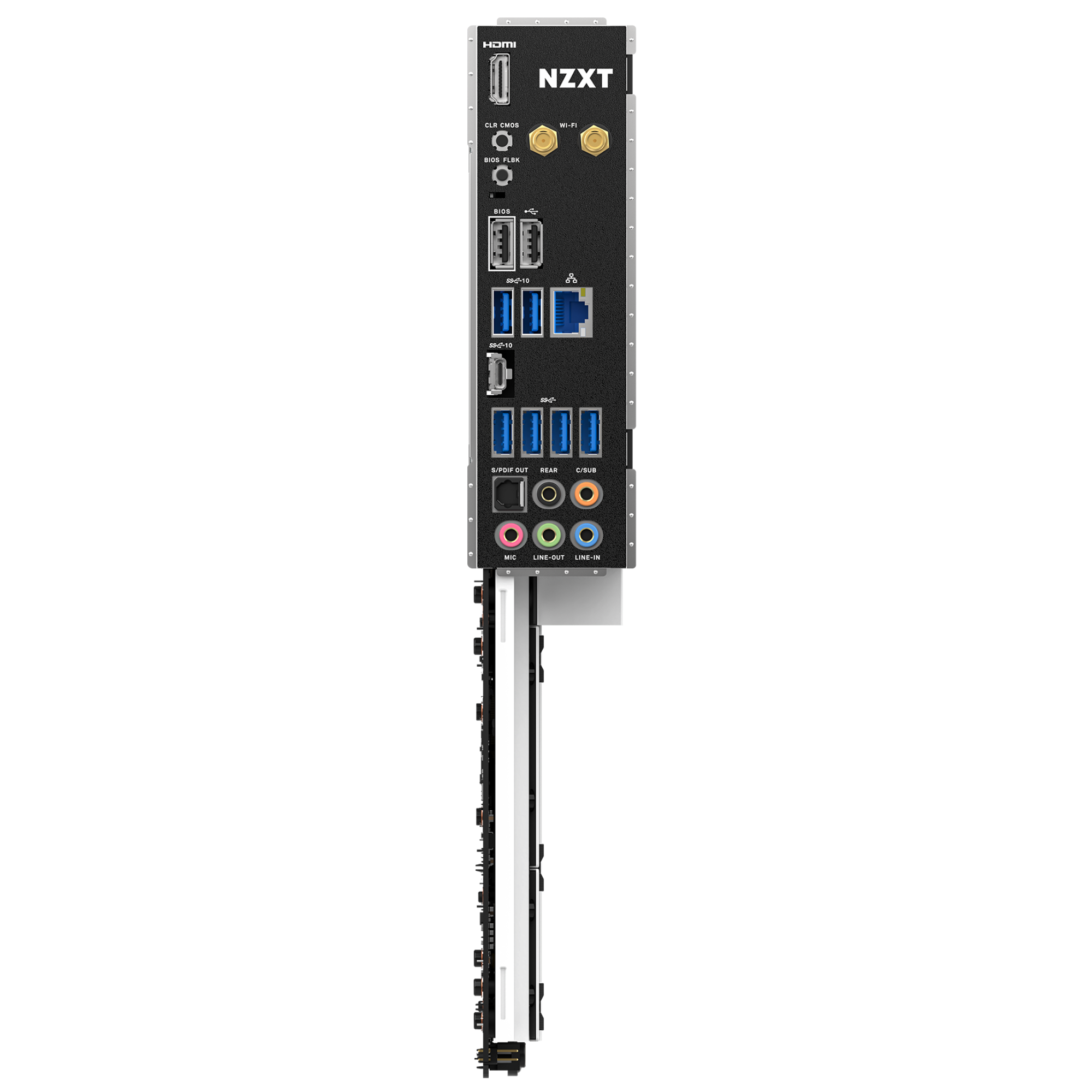
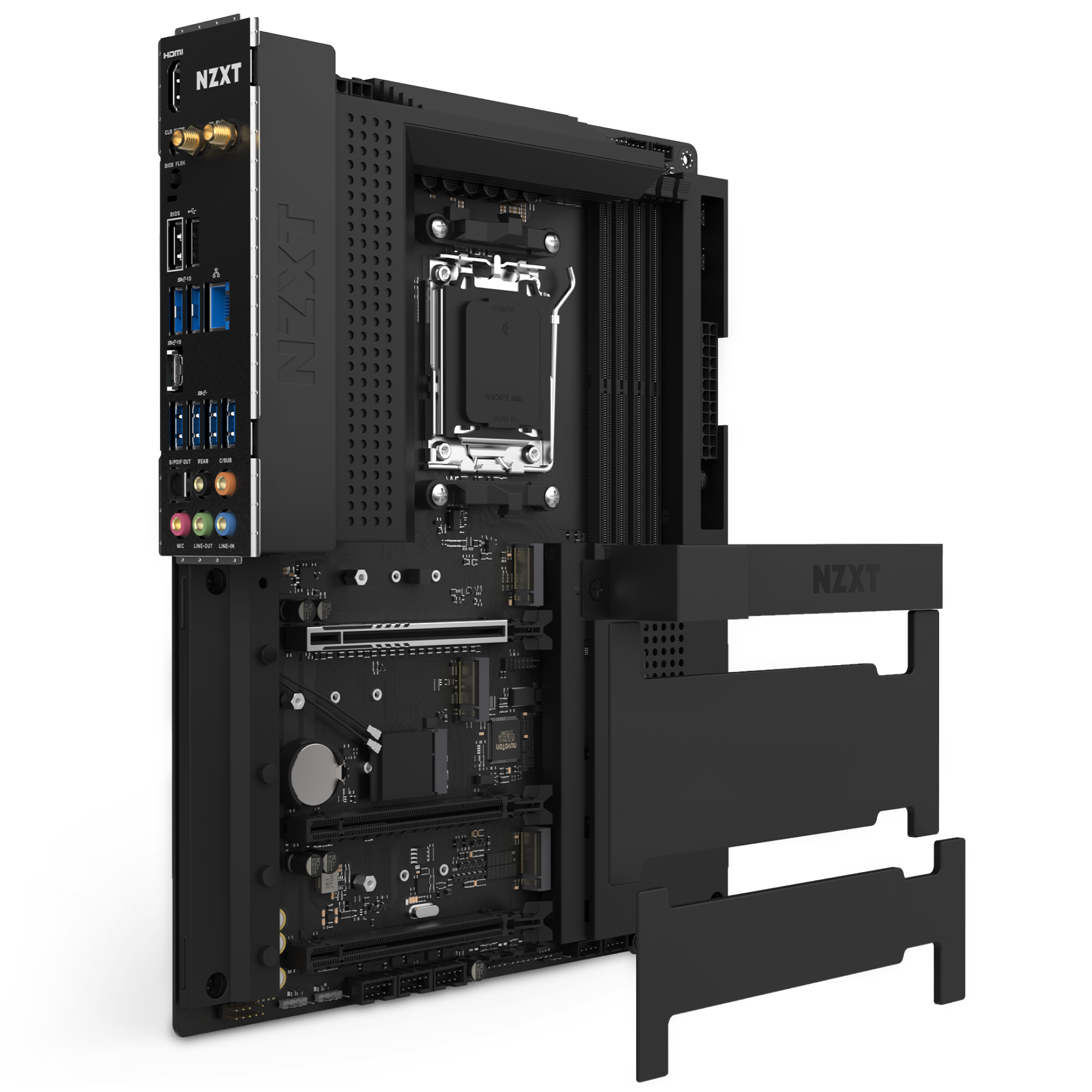
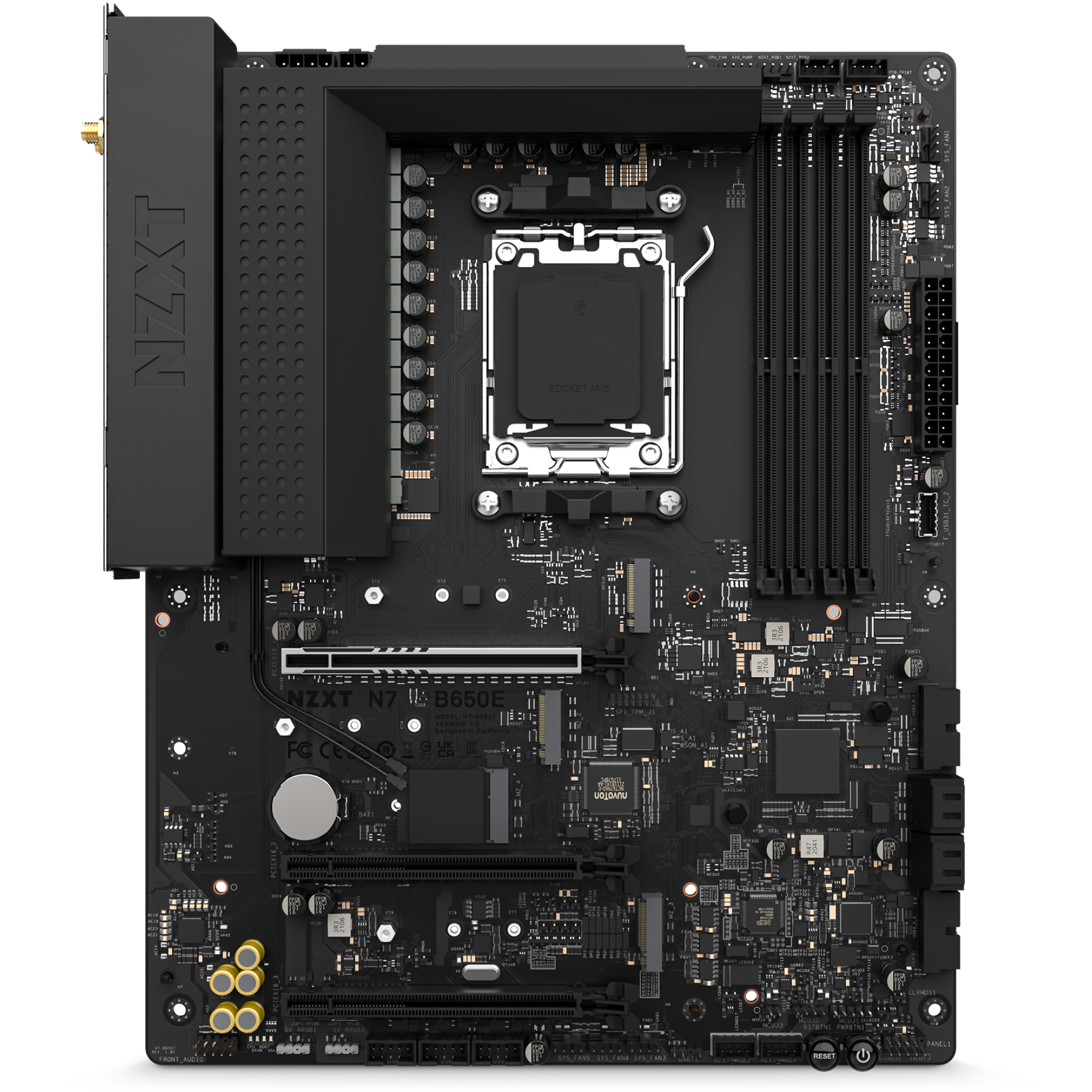
통합 Wi-Fi 6E, 후면 I/O 쉴드, 영리한 포트 배치로 조립이 쉬워지며, 향후 업그레이드를 위한 보드 공간도 넉넉합니다.
뛰어난 완성도:
블랙 또는 화이트 케이스와 미적으로 어우러지는 풀 메탈 커버로 부품을 위한 심리스한 배경을 만들어 꿈의 시스템을 완성하세요.
CPU 및 소켓:
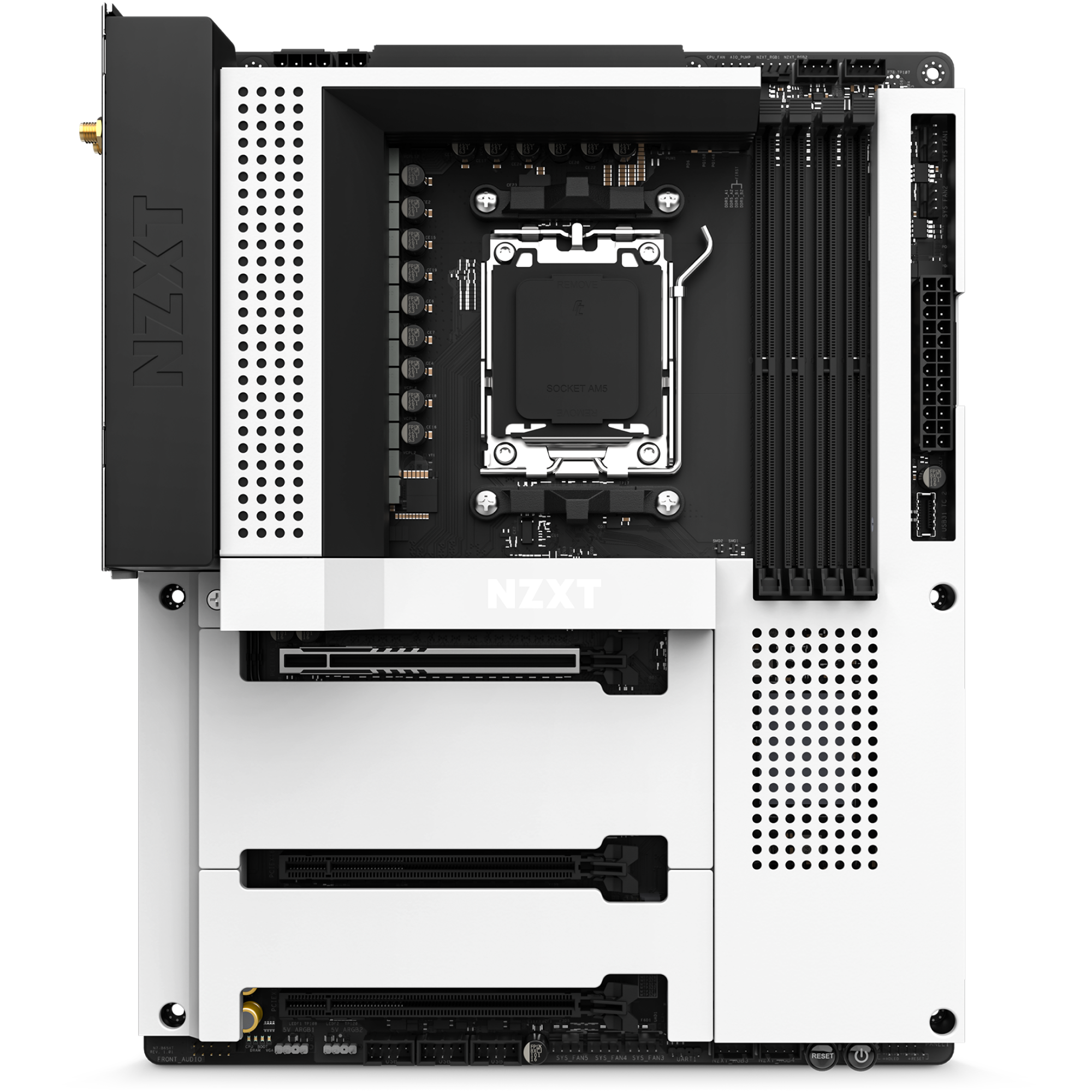
AMD Ryzen® 9000, 8000, 7000 시리즈 프로세서를 위한 AMD Socket AM5를 지원합니다.

  • 90A Smart Power Stage를 갖춘 16+2+1 전원부 설계
  • 일체형 히트 스프레더가 통합된 심리스 커버
  • CAM을 통한 디지털 RGB 조명 제어
  • 7개의 독립 팬 채널로 편리한 팬 프로파일을 제공하는 디지털 팬 제어
기술 사양
CPU
AMD Socket AM5 용 AMD® Ryzen™ 9000, 8000, 및 7000 시리즈 프로세서
칩셋
AMD® B650
DIMM 슬롯
4 x DDR5 only
최대 메모리 용량
128GB
메모리 아키텍처
Dual-Channel
OC 주파수
DDR5 Non-ECC, Un-buffered Memory 최대 6000+ (OC)
Extreme Memory Profile (XMP)
지원
EXTended Profiles for Overclocking (EXPO)
지원
PCIe 5.0 x16 슬롯 (PCIEX16_1)
1
PCIe 4.0 x16 슬롯 (PCIEX16_2 및 PCIEX16_3)
2
M.2 소켓 (Key E)
1 (Type 2230 Wi-Fi/BT PCIe Wi-Fi module)
M.2_1
Type 2242/2260/2280 (PCIe 5.0 x4 mode)
M.2_2
Type 2242/2260/2280 (PCIe 4.0 x4 mode)
M.2_3
Type 2242/2260/2280 (PCIe 4.0 x2 mode)
SATA 6Gb/s 포트
4
SATA RAID
0/1/10
M.2 NVMe RAID
0/1/10
NVMe SSD 부팅 지원
지원
LAN
Realtek® RTL8125BG 2.5G LAN
듀얼 밴드 Wi-Fi 6E
지원
Bluetooth
v5.2
오디오
Realtek® ALC1220 Audio Codec
무선 안테나 SMA 커넥터
2
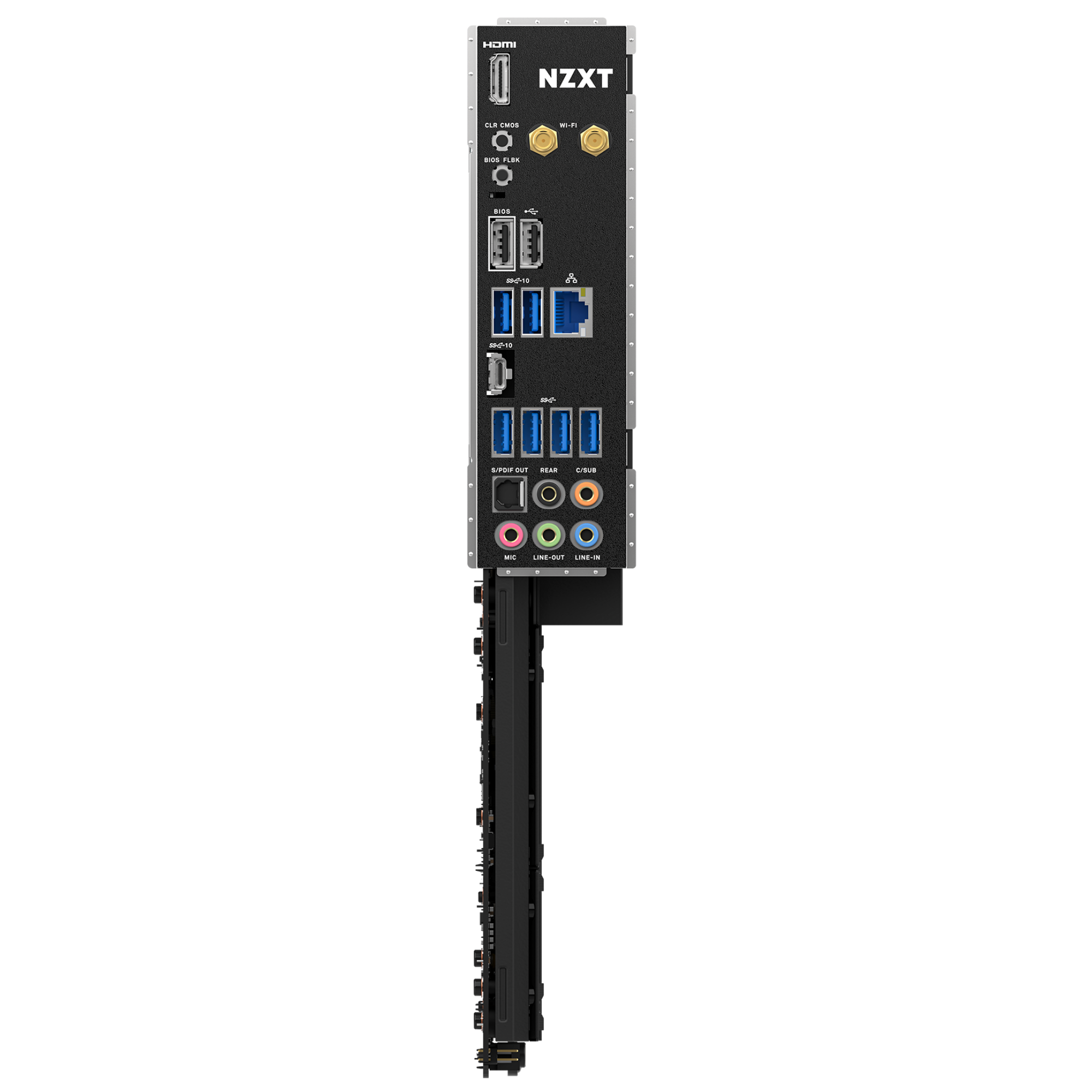
HDMI™ 포트
1
USB 2.0 포트
2
USB 3.2 Gen 2 Type-C 포트
1
USB 3.2 Gen 2 포트
2
USB 3.2 Gen 1 포트
4
Clear CMOS 버튼
1
BIOS Flashback 버튼
1
LAN 포트 (RJ45)
1
오디오 잭
5
광 S/PDIF 출력 포트
1
24핀 ATX 전원 커넥터
1
8+4핀 ATX 12V 전원 커넥터
1
4핀 CPU_FAN 커넥터
1
4핀 AIO_PUMP 커넥터
1
4핀 SYS_FAN 커넥터
5
NZXT RGB LED 커넥터
4
5V ARGB LED 커넥터
2
USB 2.0 헤더
3 (최대 6 USB 2.0 ports)
USB 3.2 Gen1 헤더
2 (최대 4 USB 3.2 Gen 1 ports)
USB 3.2 Gen2x2 전면 패널 헤더
1 (For USB Type-C)
전면 패널 오디오 커넥터
1
전원 버튼
1
리셋 버튼
1
POST LED
4
운영체제
Windows® 11/10 64-bit
폼팩터
ATX
보증
3 년
인증
FCC, CE, WHQL, ErP/EuP Ready
모델 번호
N7-B65XT-W1 (화이트) / N7-B65XT-B1 (블랙)
UPC
810074842877 (화이트) / 810074842884 (블랙)
EAN
5056547202815 (화이트) / 5056547202822 (블랙)
3.6
Rated 3.6 out of 5 stars
Based on 21 reviews
67%would recommend this product
Total 5 star reviews: 11 Total 4 star reviews: 3 Total 3 star reviews: 0 Total 2 star reviews: 2 Total 1 star reviews: 5
21 reviews
  • R
    Risto
    Verified Reviewer
    I recommend this product
    Product Standouts Great Quality, Value for Money, Design, Ease of use, Graphics
    Rated 5 out of 5 stars
    1 month ago
    Most beautiful

    100% satisfied with this. Yes proper RAM setup took few updates but everything worked like a charm after first switch on. I have built many comps but nowdays i dont see point of overclocking so BIOS menus are enough , temps are good ,its easy to clean. Only problem i must point out are PCI-e slots are deeper in cover and some GPU-s wont go in without modifying ,which i had to do(for me it wasnt problem but for some sure is)

  • SN
    Sixten N.
    I do not recommend this product
    Rated 1 out of 5 stars
    3 months ago
    Please don’t buy this.

    This is the absolute worst motherboard in existence. First, the gpu retention is so awfully placed that you need to stick in a flathead screwdriver to remove the gpu. I got the gpu out one time but the next time it broke and my gpu was stuck and still is to that board, mind you that’s a 5070 ti that I bought second hand so I can’t get a replacement. Also, the ssd cover is placed so close to the socket that any aio except NZXTs must sitt over the ram with the tubes covering slot 1.

    And finally we have the absolute worst bios on a so high end board. There is no easy way to change fan curves unless you have more of nzxts products so you have to download atleast 20 different softwares. And this is supposed to give you better performance by overclocking your cpu. This is just wrong, the only thing this board does is taking more power.

    Do not buy any of this company’s products, it’s for the most part just over priced.

    N Profile picture for NZXT
    NZXT
    3 months ago

    Hi Sixten,

    Thank you for sharing your feedback on the NZXT N7 B650E. We're sorry to hear about the difficulties you experienced with the PCIe latch, cooler clearance, and BIOS controls.

    The board does support fan curve adjustments directly in the BIOS using the onboard PWM headers, and additional control through NZXT CAM is optional when using NZXT devices. Cooler fitment and GPU latch access can also vary depending on the case and GPU size.

    We appreciate you taking the time to share your experience, and our support team would be happy to help review the GPU latch situation if you’d like further assistance.

  • S
    Scott
    I do not recommend this product
    Rated 1 out of 5 stars
    4 months ago
    Don't buy this one - Poor Quality

    I purchased this motherboard a few years back. I'm using it with a AMD Ryzen 9 7950X3D. It would work great for about 8 months to a year, and then fail to power on. Totally dead. I isolated it to the MB. NZXT, to their credit, replaced the motherboard no problem. The replacement fixed it. 8 months to a year later, same thing. Fails to power on. NZXT replaced it again. All is well. 8 months to a year later, it happened a third time. I'm just buying a different brand at this point. Ultimately, this motherboard doesn't have good power management. I love my NZXT case and AIO cooler. Do not buy an NZXT motherboard.

  • S
    Scott
    Verified Reviewer
    I do not recommend this product
    Rated 1 out of 5 stars
    4 months ago
    This motherboard may not last with certain CPUs

    I purchased this motherboard a few years back. I'm using it with a AMD Ryzen 9 7950X3D. It would work great for about 8 months to a year, and then fail to power on. Totally dead. I isolated it to the MB. NZXT, to their credit, replaced the motherboard no problem. The replacement fixed it. 8 months to a year later, same thing. Fails to power on. NZXT replaced it again. All is well. 8 months to a year later, it happened a third time. I'm just buying a different brand at this point. Ultimately, this motherboard doesn't have good power management. I love my NZXT case and AIO cooler. Do not buy an NZXT motherboard.

  • J
    jordan
    I recommend this product
    Product Standouts Great Quality, Value for Money, Performance, Graphics, Design
    Rated 5 out of 5 stars
    5 months ago
    good motherbord

    it works fine just the bios menu is a little outdated

자주 묻는 질문